
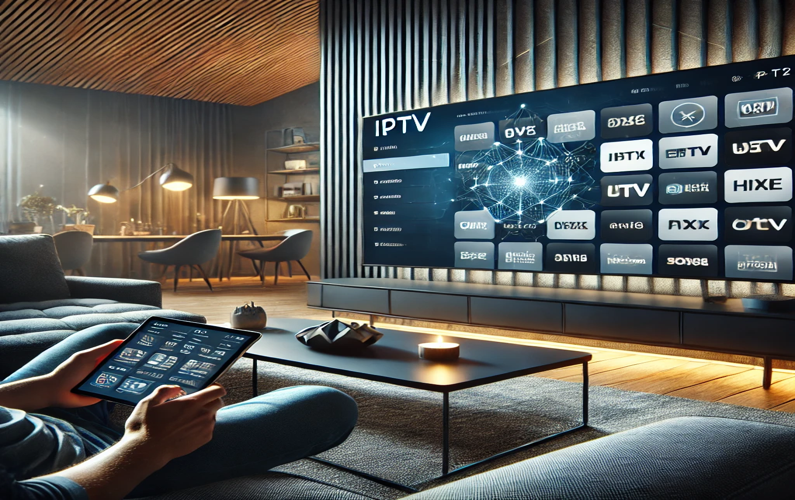
IPTV (Internet Protocol Television) delivers TV over your broadband connection instead of an aerial, satellite dish or cable. A provider turns TV channels into data streams, sends them across the internet, and a player app on your TV, Firestick or phone turns them back into pictures and sound. This guide explains each step in plain English, then answers the questions people ask most, including the ones that come up again and again on Reddit.
How IPTV works, step by step
- Getting the content. The provider receives channels from broadcasters (by satellite, fibre or direct feed) and stores films and series for on-demand viewing.
- Encoding. Encoders compress each channel into a digital format such as H.264 or H.265, so an HD channel needs only a few megabits per second.
- Packaging and serving. The streams are split into small chunks (formats like HLS or MPEG-TS) and placed on servers, often spread across a content delivery network (CDN) so viewers connect to a server near them.
- Middleware and the TV guide. A management system checks your login, sends your channel list and loads the electronic programme guide (EPG) so you can see what is on now and next.
- Delivery over your broadband. When you pick a channel, your device requests the stream and downloads the chunks a few seconds ahead of what you are watching. This small buffer is what keeps playback smooth.
- Playback. The player app on your device decodes the stream and shows it on screen, with the guide, search and favourites on top.
The three types of IPTV
- Live TV: channels streamed as they are broadcast, just like normal TV.
- Video on demand (VOD): films and series you start whenever you like, similar to Netflix.
- Catch-up and time-shift: watch programmes from earlier today or the past few days, or pause and rewind live TV.
Multicast vs unicast: the technology behind the scenes
Broadband providers’ own TV services and corporate systems in hotels and offices often use multicast: one stream is sent once and copied by the network to every screen watching that channel, which saves a lot of bandwidth. Internet-based IPTV apps use unicast: each viewer gets their own stream from the server. Unicast is why your home connection speed matters so much. For business systems, see our corporate IPTV installation guide and our IPTV network infrastructure guide.
What you need to use IPTV at home
- Broadband of at least 10 Mbps per HD screen and 25 Mbps per 4K screen. See what internet speed you need for IPTV.
- A device: Smart TV, Amazon Firestick, Android TV box, iPhone or iPad, or a computer.
- A player app such as IPTV Smarters Pro or TiviMate.
- A subscription, with login details in one of the standard formats. See IPTV login types explained.
IPTV vs satellite and cable
| IPTV | Satellite or cable | |
|---|---|---|
| How it arrives | Over your broadband | Dish or cable into the home |
| Installation | Install an app | Engineer visit |
| Contract | Often none | Usually 12–24 months |
| Watch on phone or laptop | Yes | Sometimes, at extra cost |
| Works without internet | No | Yes |
Questions people ask (including on Reddit)
Does IPTV actually work well?
With a stable connection and a reliable provider, yes. Most complaints on forums come from slow Wi-Fi, old devices or overloaded cheap services. Our IPTV buffering fixes solve most problems.
Is IPTV legal in the UK?
The technology is legal and used by BT, Virgin Media, Sky and many others. What matters is whether the provider has the rights to the channels it sells. Services offering every premium channel for a few pounds are usually unlicensed and can shut down without warning. Read are IPTV boxes legal in the UK and, before you buy, how to check IPTV reviews.
Why does IPTV buffer at night?
Evening is peak time for both broadband networks and IPTV servers. A wired connection, 5 GHz Wi-Fi and a provider with enough server capacity make the biggest difference.
Can I record IPTV?
Many player apps can record or use catch-up. See our guide to recording IPTV.
Do I need a TV Licence?
Yes. In the UK you need a TV Licence to watch or record live TV on any device, including through IPTV.
Getting started
Pick a device, install a player app, and start with a short plan or trial so you can test the service on your own connection. Our step-by-step guide shows how to install IPTV on Firestick, and you can see our IPTV plans from £10.